Social Accounts — AI Social Suites (Admin)
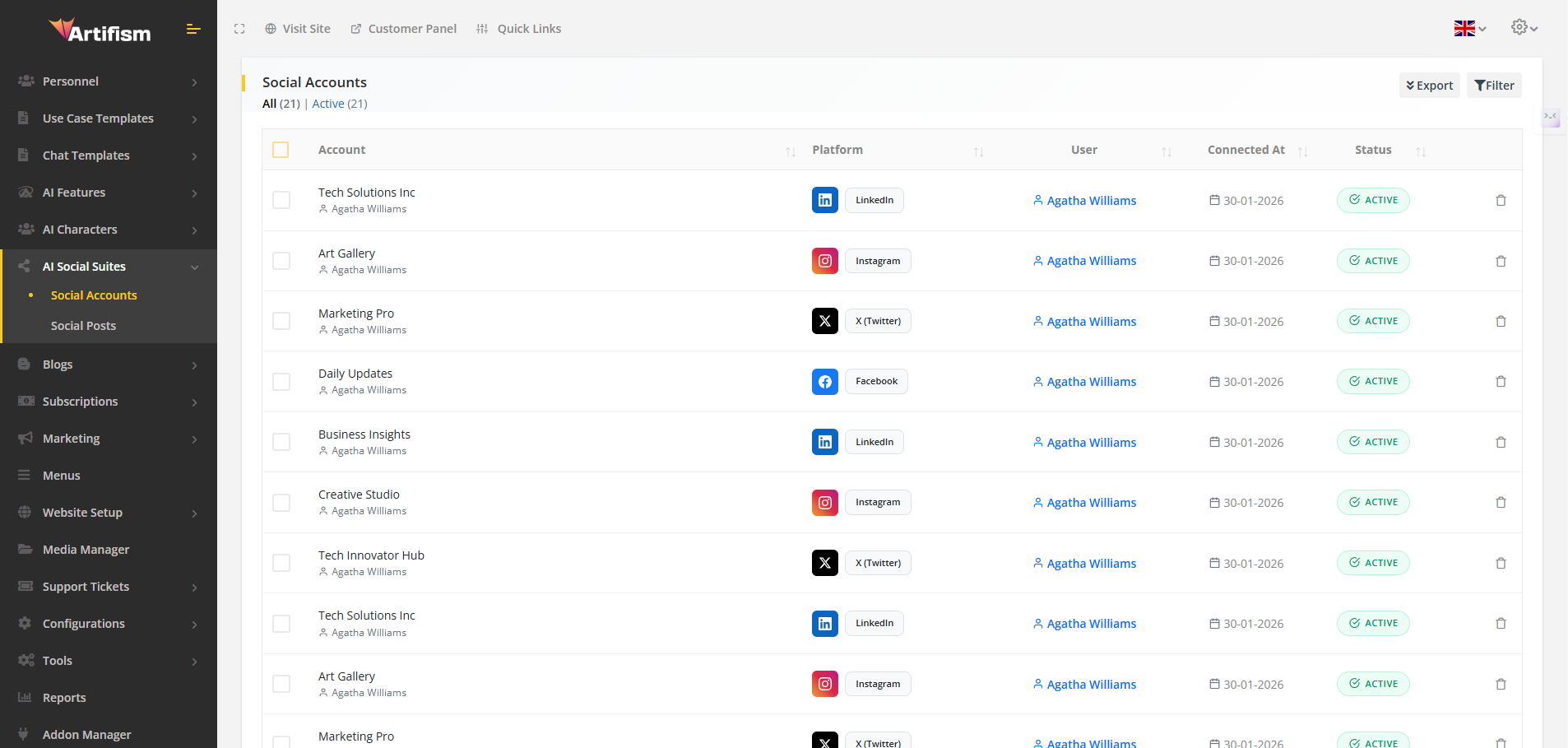
The Social Accounts management area allows administrators to monitor and manage all social media profiles connected by users. This guide covers how to navigate the accounts list, use filters, and perform administrative actions.
Quick Navigation
What It Is
The Social Accounts table provides a centralized view of every social media account linked to the system. From here, you can verify account statuses, identify active platforms, and manage user connections.
Where to Find It
- Menu: Admin → Ai Social Suites → Social Accounts.
Columns & Data
| Column | Description |
|---|---|
| Account | Displays the account name and the associated social media profile. |
| Platform | Shows the platform (Facebook, Instagram, X, LinkedIn, TikTok) with its icon. |
| User | The owner of the account with a link to their profile. |
| Connected At | The timestamp when the account was first linked. |
| Status | Current state: Active, Inactive, or Pending. |
| Action | Administrative tools (e.g., Delete). |
Filtering & Search
Efficiently locate accounts using the built-in search and grouping tools:
- Global Search — Search by account name, user email, or ID.
- Platform Filter — Narrow down the list to a specific social network.
- Status Groups — Quickly view all Active, Inactive, or Pending accounts via the status tabs.
Administrative Actions
- Batch Delete — Select multiple accounts to remove them in a single action.
- Export Data — Download your account list as PDF or CSV for reporting.
- Toggle Filters — Collapse or expand the filter panel to maximize screen space.
- Individual Deletion — Remove specific accounts with a confirmation prompt.
Use Case Example
Scenario: You want to generate a report of all TikTok accounts currently connected by users. 1. Navigate to Social Accounts. 2. Select TikTok from the platform filter. 3. Click Export and choose CSV.
Screenshot
Connected Guides
- Social Posts Management — Monitor and view all created posts.
- Feature Preferences — Enable/disable social platforms.
- AI Provider Configuration — Set up AI for content generation.
- User Side Guide — How users interact with Social Suites.