AI Social Suites - Cron Job Setup
This guide will help you set up a cron job to process your AI Social Suites queue on your server. The cron job ensures that scheduled social posts are published automatically at the correct time.
What You'll Need Before Starting
- Access to your hosting cPanel (shared hosting or VPS)
- Your domain name where Artifism is installed
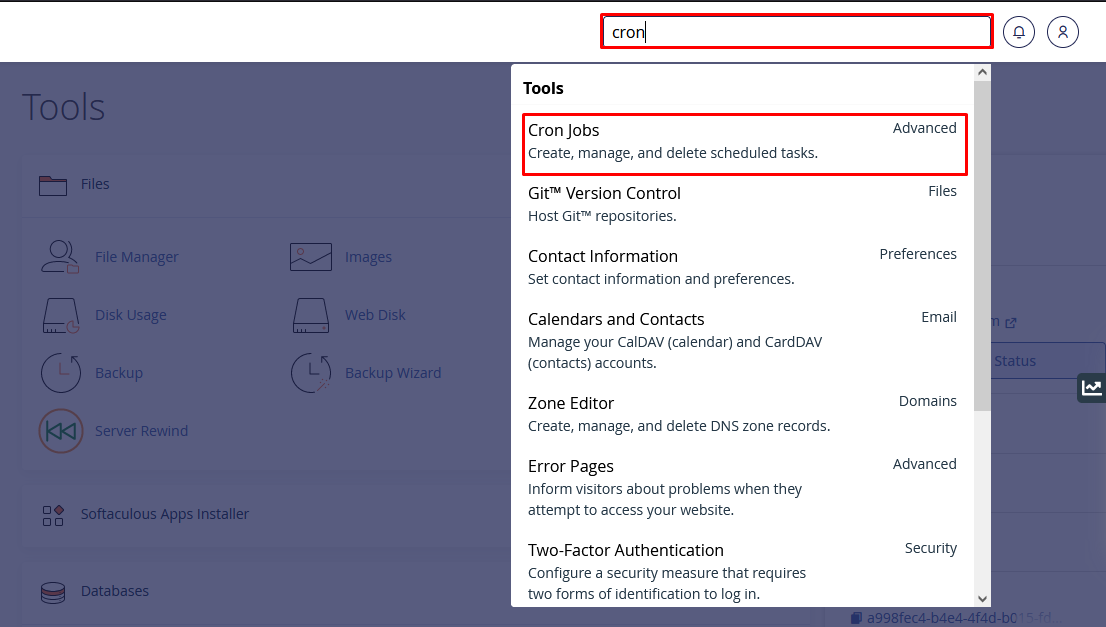
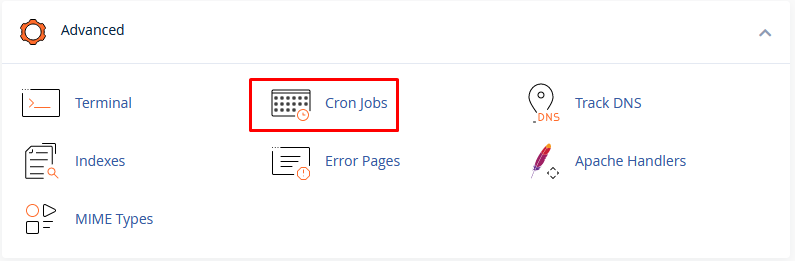
Step 1: Open Cron Jobs in cPanel
- Log in to your hosting cPanel.
- Navigate to Cron Jobs (usually located under the Advanced section).
Step 2: Create a Per-Minute Cron Job
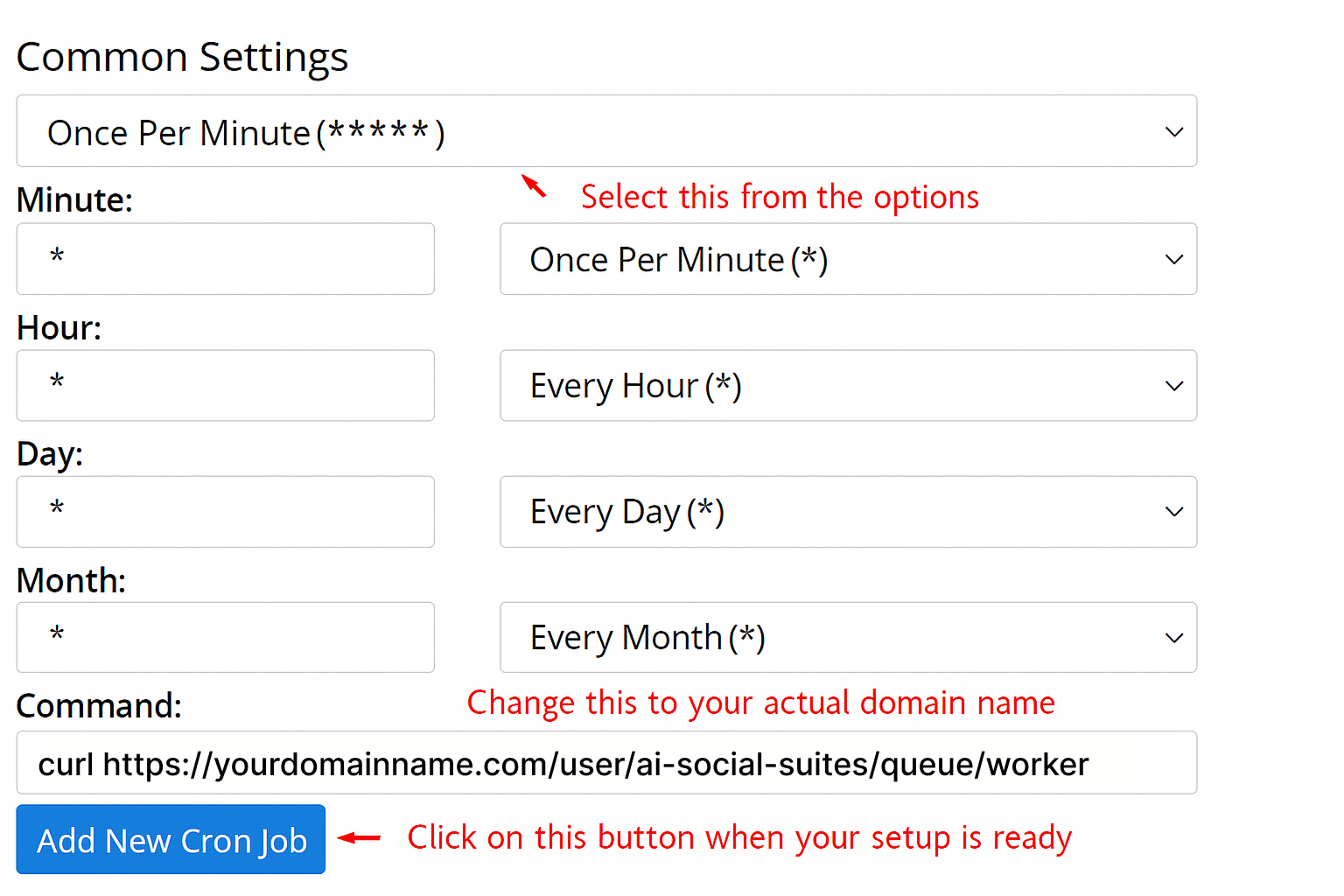
- Click Add New Cron Job or Create Cron Job.
-
Set the cron job to run every minute using the following command:
* * * * * curl https://yourdomainname.com/user/ai-social-suites/queue/worker
Important
Replace yourdomainname.com with your actual domain name. For example, if your domain is demo.artifism.techvill.net, the command should be:
* * * * * curl https://demo.artifism.techvill.net/user/ai-social-suites/queue/worker
Tip
The cron expression * * * * * means the job will run every minute. This ensures scheduled social posts are processed promptly and published on time.
Step 3: Save and Verify
- Click Add New Cron Job or Save button to create the cron job.
- Verify that the cron job appears in the Current Cron Jobs list in cPanel.
- Ensure the cron job status shows as active.
✅ Success! Your AI Social Suites queue cron job is now set up and will process scheduled posts automatically.
Troubleshooting
Cron job not running?
- Verify the domain URL in the command is correct
- Check that your server has
curlinstalled - Ensure the Artifism application is accessible at the specified URL
- Review cron job logs in cPanel for any error messages